



App Name: Your Grocery
Release Date: Unknown
Company: Aroe' CS
About: It's a grocery list making app for worldwide users, an integrated group list maker.
Upcoming Features
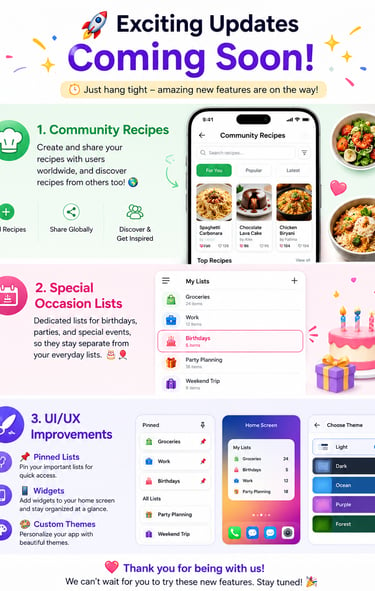
Exciting Updates Are Coming Soon!
🍲 Community Recipes
Create and share your recipes with users worldwide, and discover recipes from others too!
🎉 Special Occasion Lists
Dedicated lists for birthdays, parties, and special events, so they stay separate from your everyday lists.
✨ UI/UX Improvements
📌 Pinned Lists
📱 Home Screen Widgets
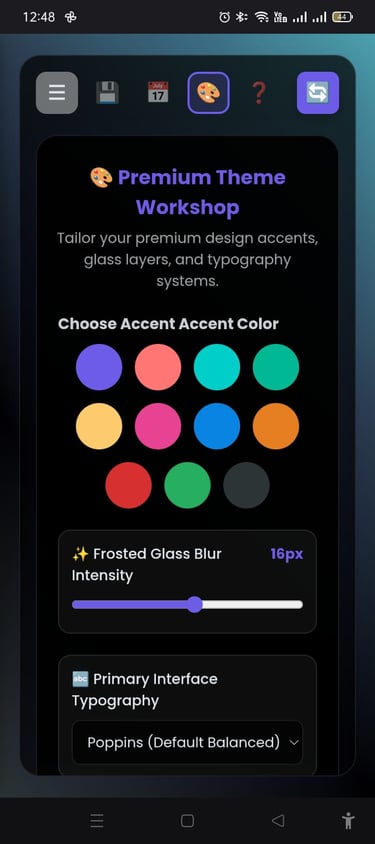
🎨 Custom Themes
Stay tuned — more great features are on the way! ❤️























Login / Register
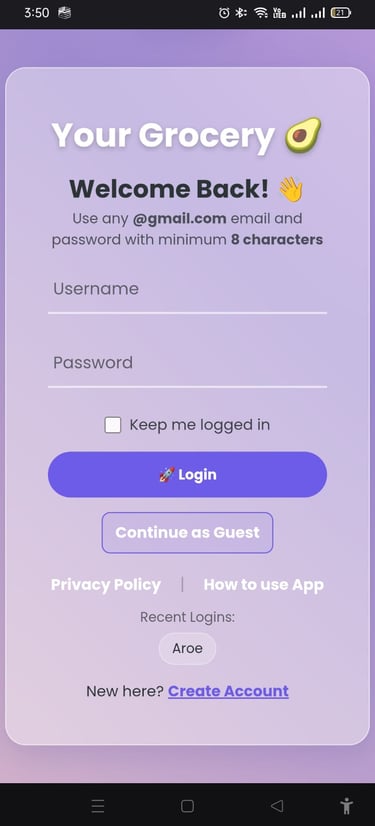
Login Credentials:
Username: Any Gmail address can be used.
Password: Must be at least 8 characters for security.
Options for Convenience:
🧠 Keep me logged in: Saves login details so users don’t have to re‑enter them every time.
🚀 Login: Main button to access the account.
👤 Continue as Guest: Lets new users explore the app without creating an account right away.
Privacy Policy🔒:
A link to reassure users about data protection and transparency.
Recent Logins:
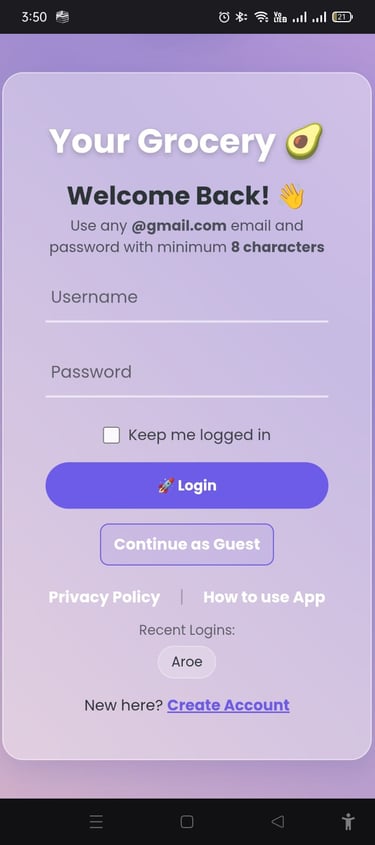
Shows previously used accounts (e.g., “Aroe'”), making it quicker to log back in.
New User Path:
“New here? Create Account” guides first‑time users to sign up.
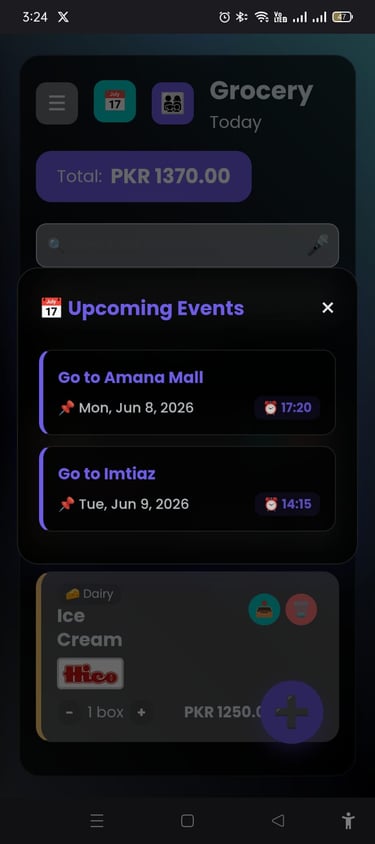
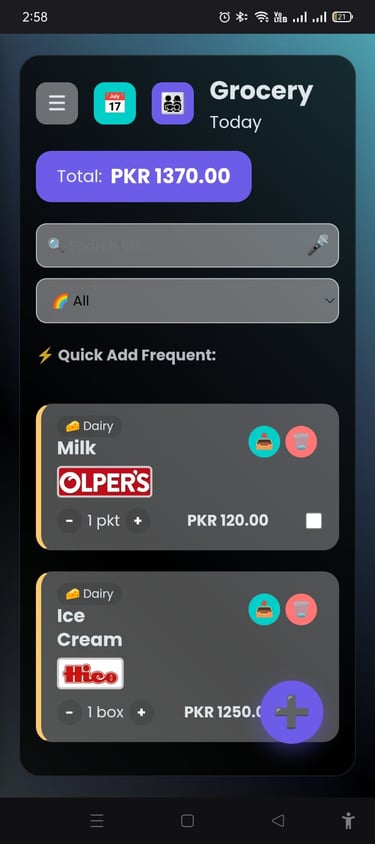
Calandar 🗓️:
User can click on it to see the pending events.
Groups 👥:
User can click on it to go to the groups home page.
Add Button ➕:
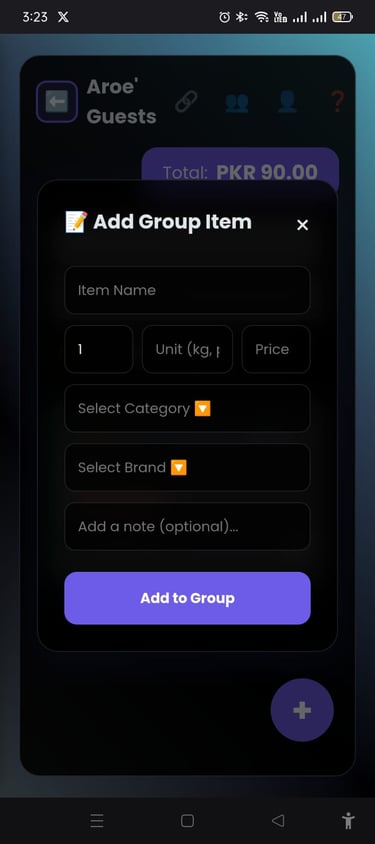
Press ➕ button to add an itom on the list, by clicking it a popup will come out, for user to select certain criteria and name the item.
Pantry 📤& Delete🗑️Button:
User can click on these buttons to add items in the pantry or delete.
Home Page
Side Bar
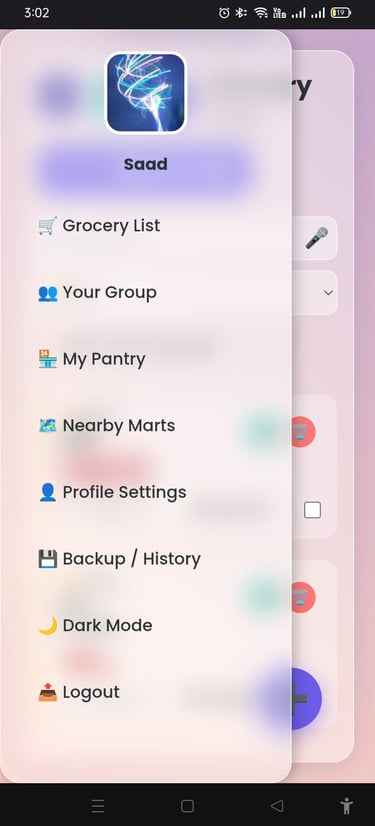
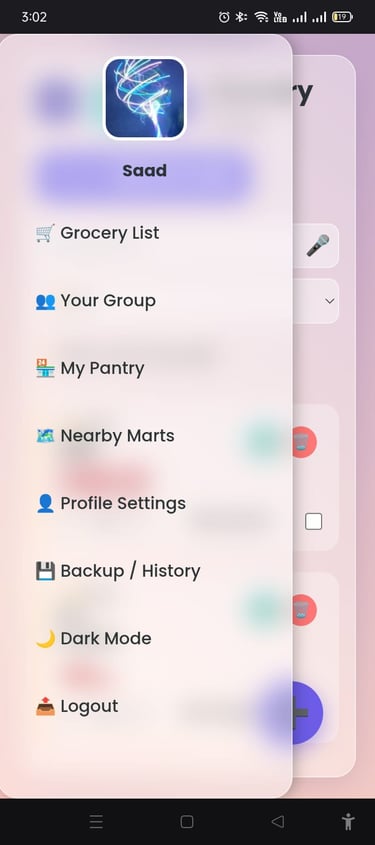
📂 Sidebar Menu
The sidebar is your quick navigation tool in the Your Grocery app. From here, you can jump directly to different sections:
🛒 Grocery List – Manage your shopping items.
👥 Your Group – Share lists with family or friends.
🏪 My Pantry – Track what’s already at home.
🗺️ Nearby Marts – Find stores close to you.
👤 Profile Settings – Update your account details.
💾 Backup / History – Access past lists and saved data.
🌙 Dark Mode – Switch between light and dark themes.
📤 Logout – Sign out securely.
👉 In short: the sidebar is the control center of the app, giving you fast access to all major features.
Groups
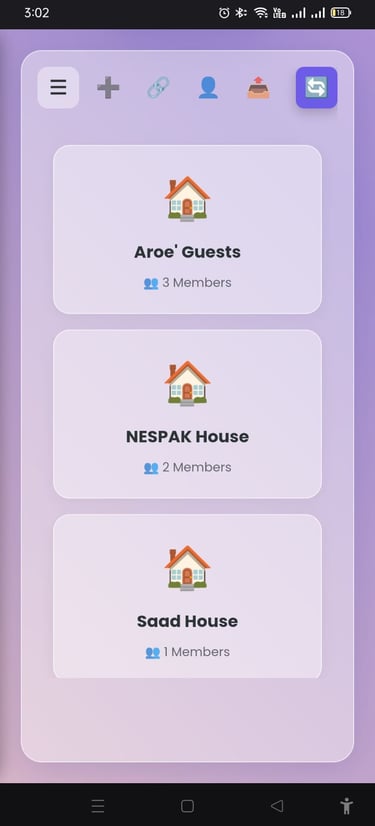
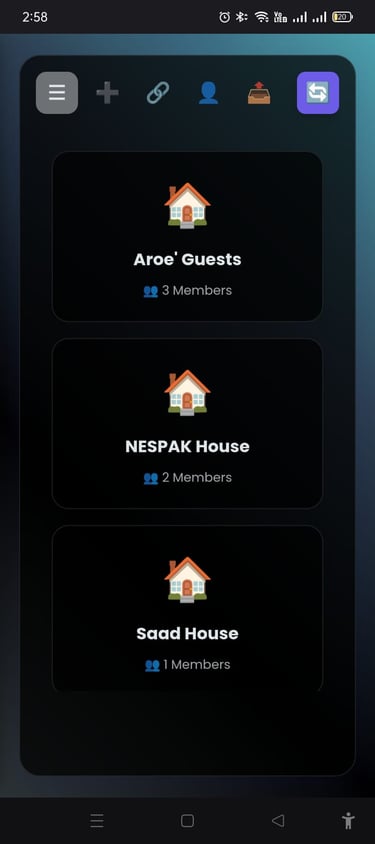
📱 Group Management Screen
This page shows the groups you’ve created or joined.
☰ Sidebar – Open the main menu.
➕ Add – Create a new group.
🔗 Join via Code – Enter a code to join an existing group.
👤 Joining Mail – View the email you used to join groups.
📤 Logout – Sign out of your account.
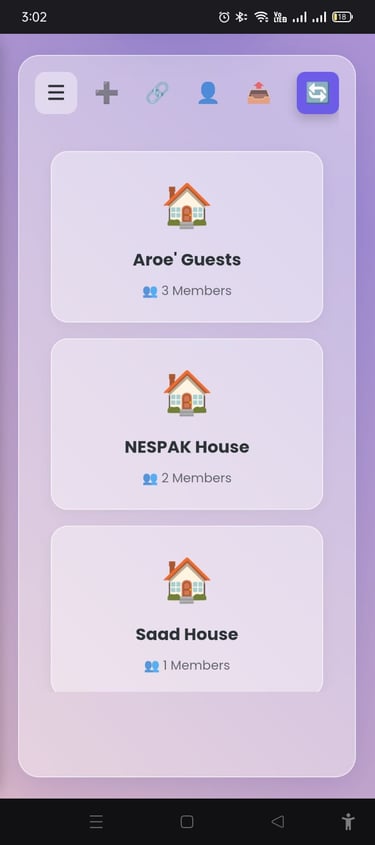
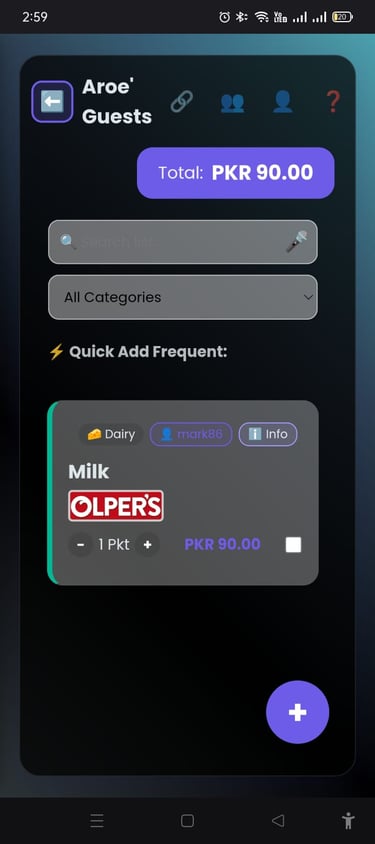
Below, see a list of groups (like Aroe' Guests, NESPAK House, Saad House)
Specific Group
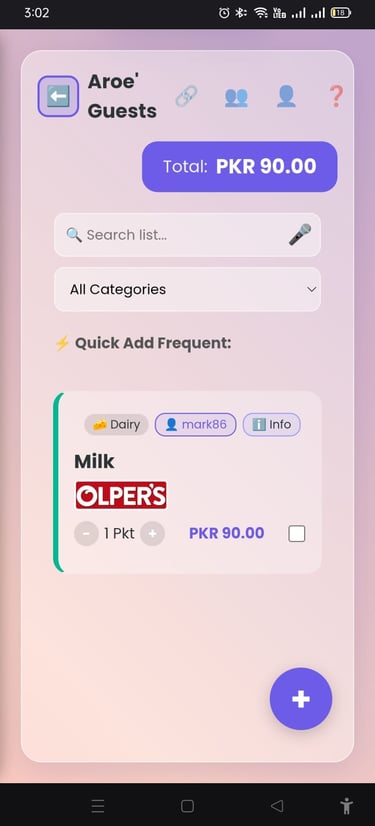
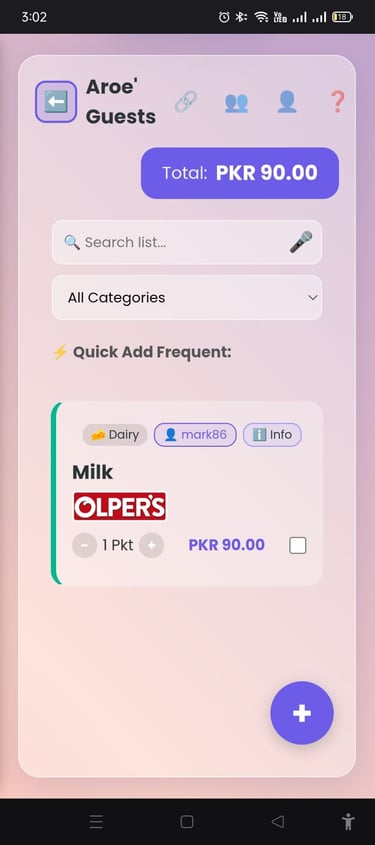
📱 Group Page
At the top:
⬅️ Back – Return to previous screen
🏠 Group Name – Current group title
🔗 Group Code – See/join with code
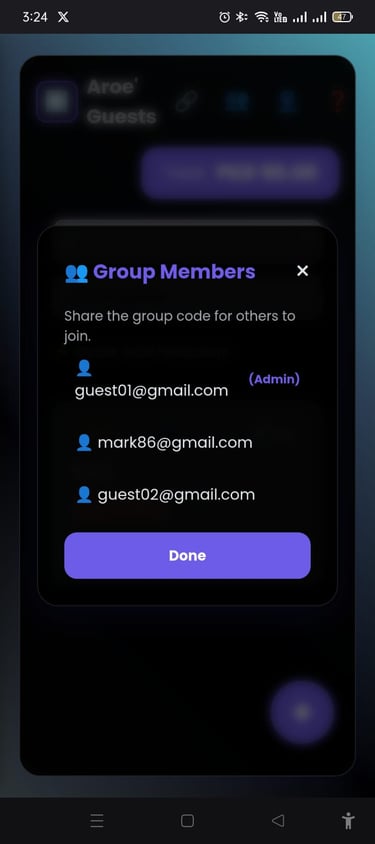
👥 Members – View group members
👤 Your Mail – Check joining email
❓ Help – Get support
💬 Chat Group – Talk with members
Below:
Users can add lists that every group member will see and use together.
This page is the shared group space
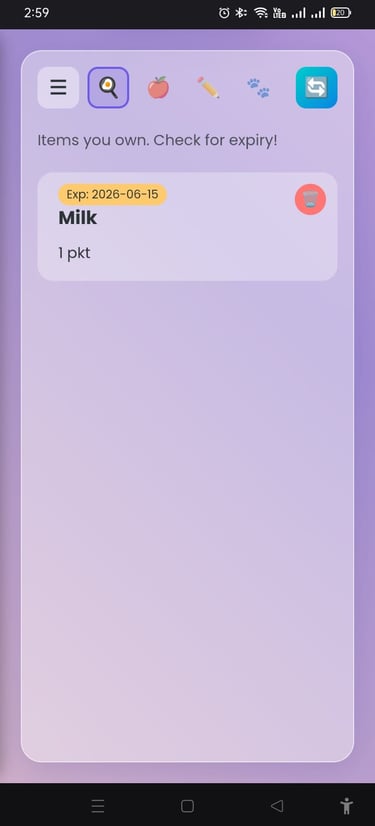
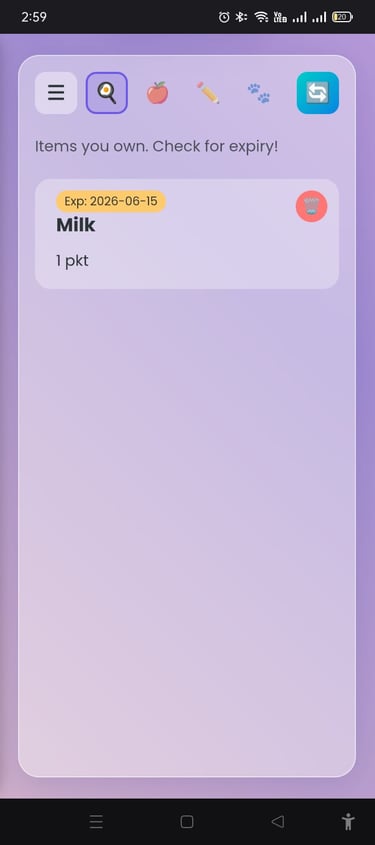
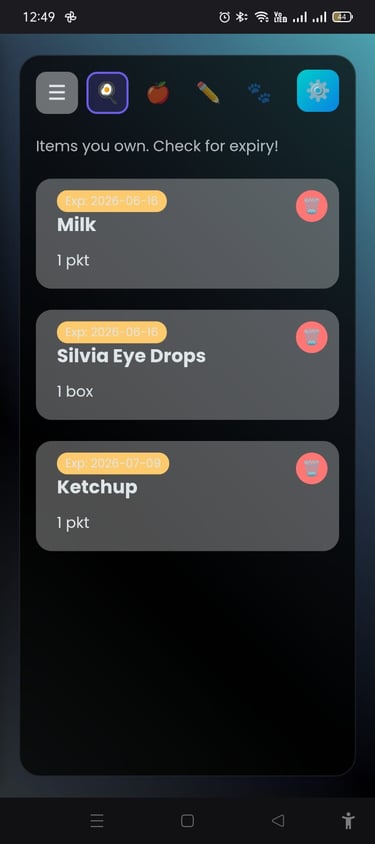
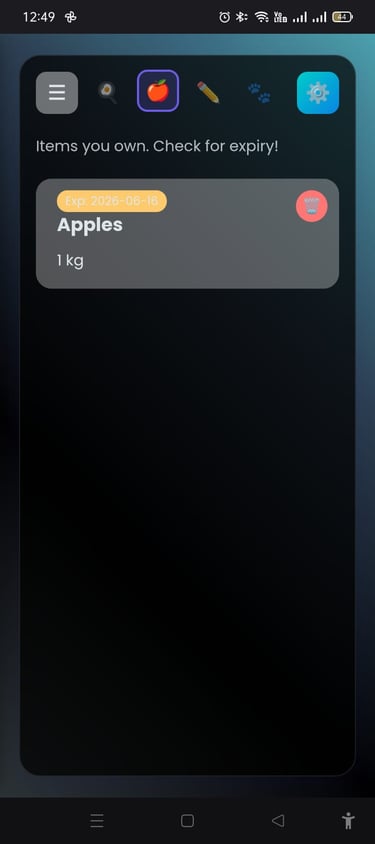
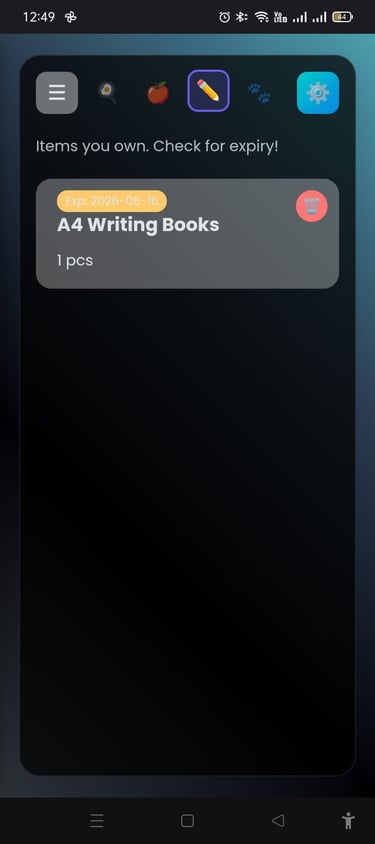
🏠 Pantry Screen
This page shows all the items you own and helps track expiry dates.
☰ Sidebar – Open main menu
🔍 Search – All pantry items
🍎 Fruit Pantry – See fruit items
✏️ Stationary – View stationary items
🐾 Pet – Pet supplies section
🔄 Refresh – Update your pantry list (must refresh regularly)
Below: You’ll see your items with expiry dates (max 1 month shown).
Pantry
Nearby Marts
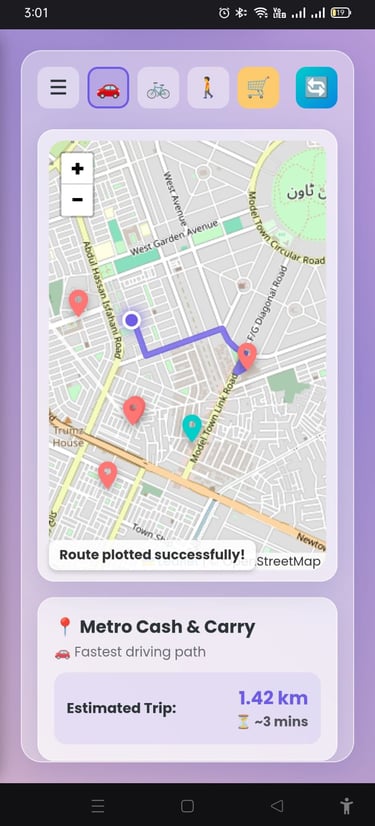
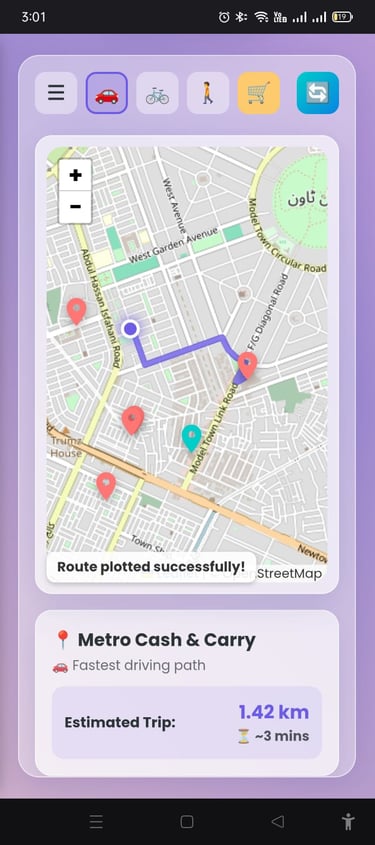
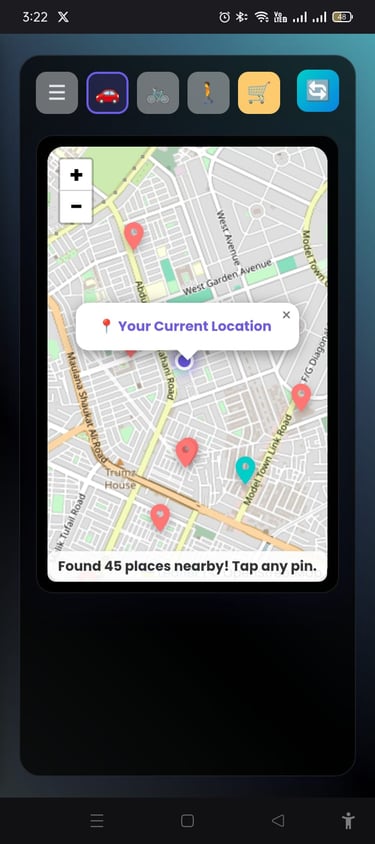
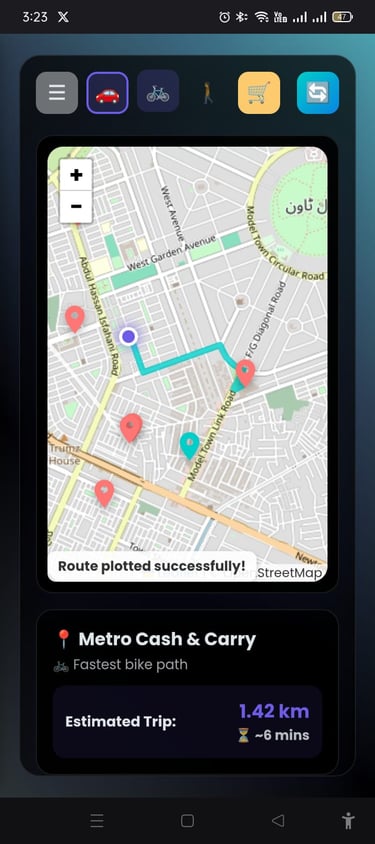
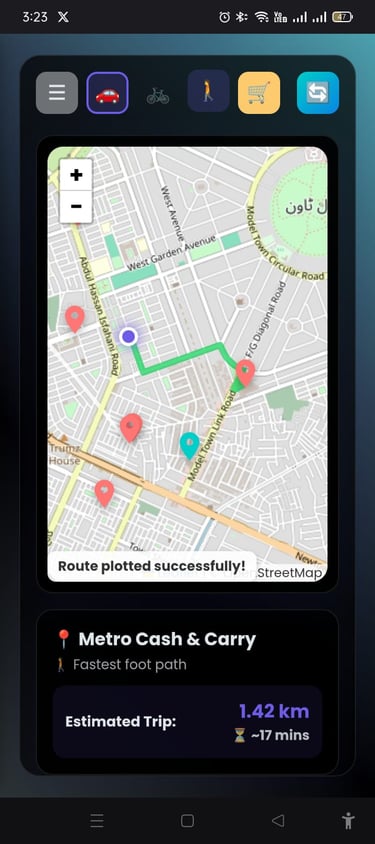
🗺️ Nearby Marts
Helps finding nearby marts & malls.
☰ Sidebar – Open the main menu🚗 Car – Driving route and time
🚴 Bike – Cycling route and time
🚶 Foot – Walking route and time
🛒 Marts – List of nearby marts
🔄 Refresh – Update map and results (must refresh)
Below: You’ll see a map with marts marked in red and malls in teal. Tap to find details and to find the route on maps below.
Settings
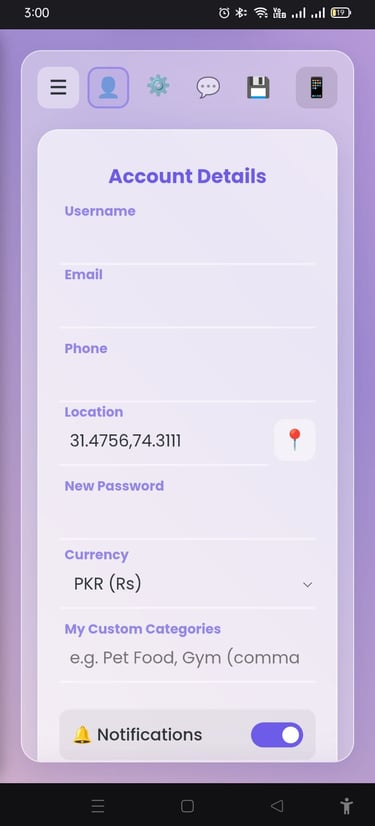
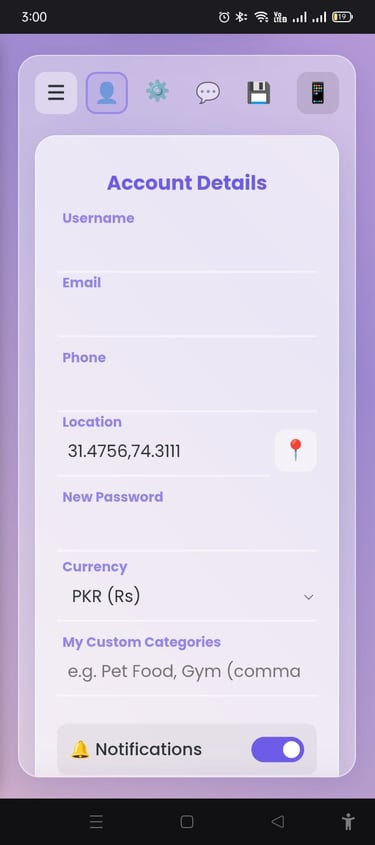
⚙️ Settings
☰ Sidebar – Open sidebar
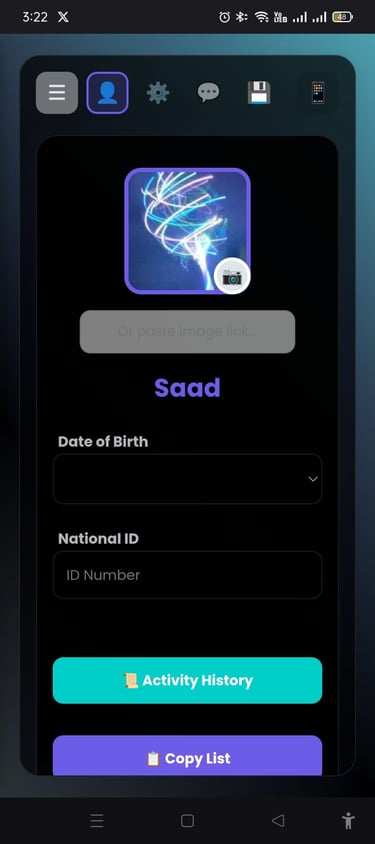
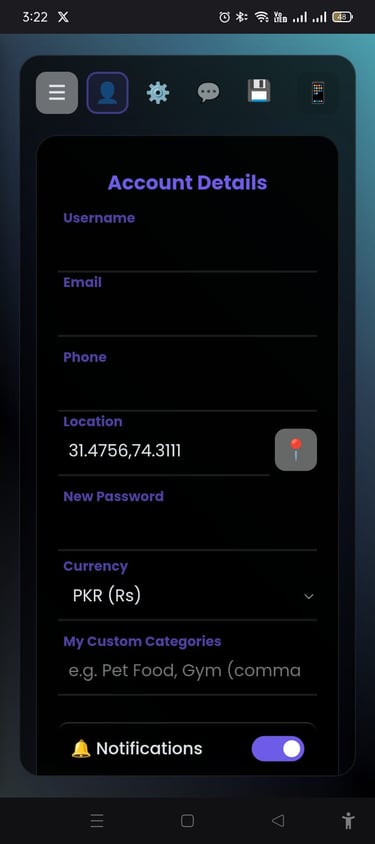
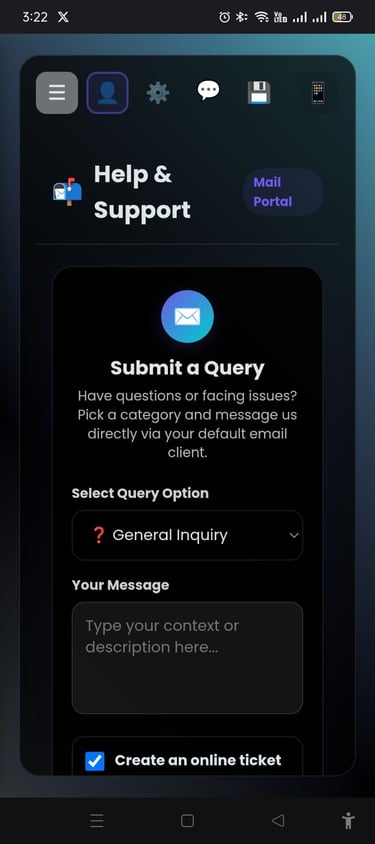
👤 Profile – Update personal info
📝 Account Settings – Manage email, phone, password, currency, categories
❓ Support Center – Get help and guidance
💾 Save Button – Save changes
Users can also logout from here.
👉 In short: this page is where you manage your account, customize settings, and access support.
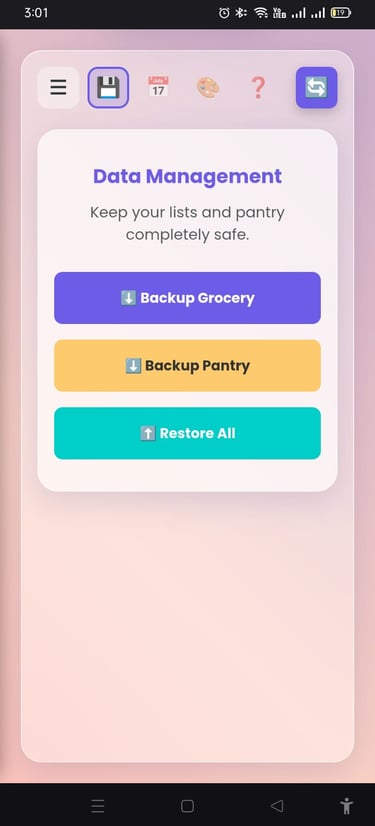
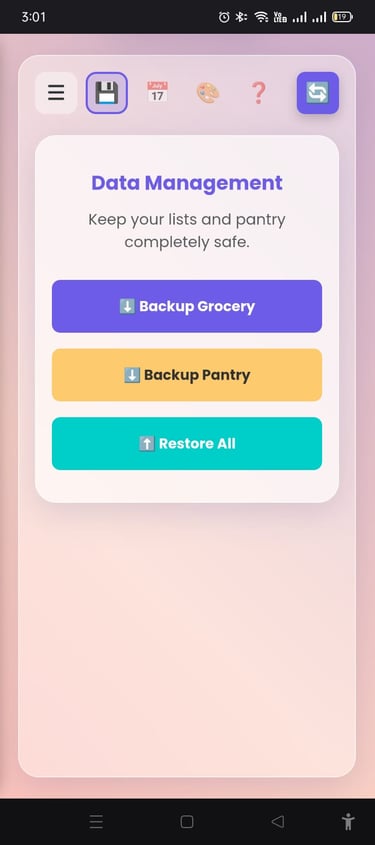
📂 Data Management
☰ Sidebar – Open main menu
💾 Backup/Restore – Manage grocery & pantry backups. Restore your previous data.
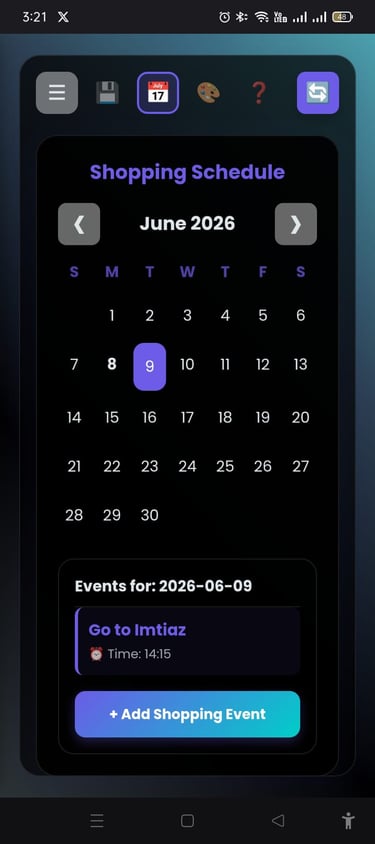
📅 Calendar – Add or view events
🎨 Theme Change – Switch app appearance color.
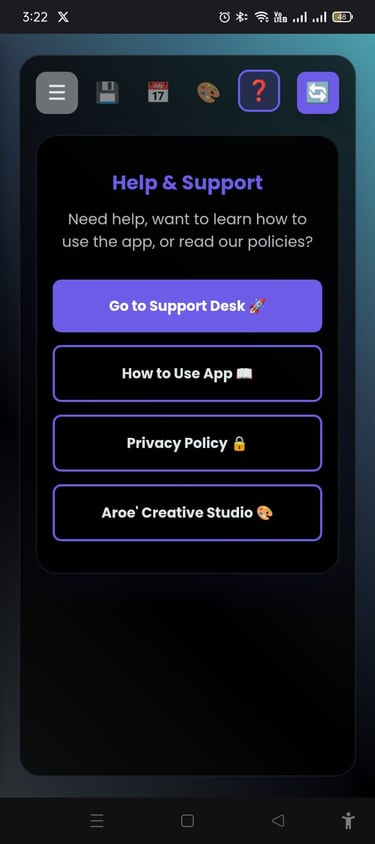
❓ Help – Learn how to use the app, App policy and company profile.
👉 In short: this page keeps your lists and pantry safe, lets you back up, restore, and personalize the app.
Backup / Restore
Aroe' Creative Studio
If we can think, we certainly can deliver!
Contact
Newsletter
© 2026. All rights reserved.